ISFiscalCloud an STS-certified fiscal cloud: fiscal module and cloud cash register
Cloud electronic fiscalisation that replaces the classic cash register: fiscal receipts issued from any application, reported automatically to the State Tax Service MEV system.
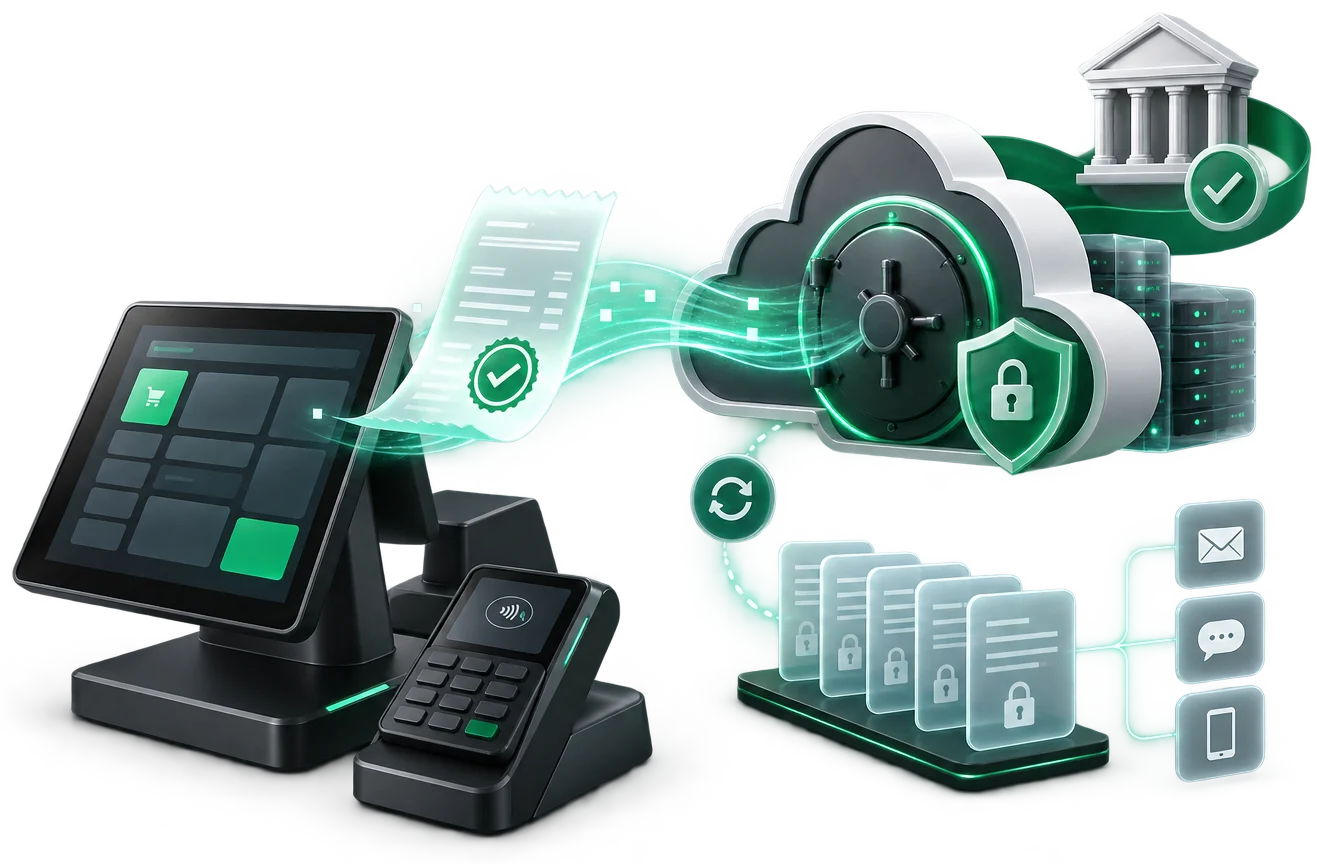
Features
What ISFiscalCloud does for your business.
Issued from your sales application, in line with the legislation of Moldova.
Every transaction reaches the State Tax Service automatically.
The customer receives the receipt by SMS, e-mail or QR code.
POS, ERP, an online shop or a vending machine — documented integration.
Runs on your existing devices, with no fiscal hardware.
All locations, receipts and Z reports in one panel.
How the receipt is issued
From your application to the receipt the customer gets.
No separate portal where you re-enter the sale, and no cash register next to the computer. The application you already use makes one API call, and the rest happens on its own.
- Your applicationERP, POS, an online shop or your own application — the sale is recorded where it is recorded today.
- ISFiscalCloud APIA single call, with the sale data. Documented, with a test environment.
- SFS / MEVThe receipt is fiscalised and sent to the fiscal system in real time.
- The customerReceives the electronic receipt — a link, a QR code or an e-mail. No paper, unless they ask for it.
No extra portal
You do not enter the sale a second time. Your system stays the source.
No cash register
Fiscalisation is a service, not a device on the counter.
The same API for every location
One integration, any number of points of sale — including those that open later.
Integration
Integration by API with POS, ERP and online shops.
Your sales system stays as it is. One call is added to it, sending the sale data; the fiscal receipt is issued and goes on to SIA MEV.
- The technical checkIt is established which system connects, what data it sends and who does the integration — your developer or our team.
- Documentation and a test environmentA documented REST API, with webhooks for fiscal events and connectors for ERP systems.
- The integrationUsually 1–3 days, with your technical team or with the Intelectsoft specialists. The term is confirmed after the technical check.
- Going liveThe points of sale are activated and work moves from the test environment to the real one.
The full documentation, the examples and the flow are on mev.md — fiscalization via API.
Administration
Receipts, reports and points of sale in one shared workspace.
ISFiscalCloud issues the receipts. The place where you see all of them — by point, by day, with the Z reports — is the MEV workspace, shared by every Intelectsoft fiscal product.
MEV, the commercial platform
The workspace built by Intelectsoft, where you manage points, receipts, reports and electronic records — for every fiscal product, not just one.
SIA MEV, the state system
The information system of the State Tax Service to which receipts are sent. It is the legal destination of the data, not an Intelectsoft product.
One place for several points
Points of sale are added to the same account, and reports are read per point or in total. The full detail about the platform is on mev.md.
Where it is used
What activities ISFiscalCloud is certified for.
In the State Tax Service register each fiscal model has its own scope. ISFiscalCloud (S003) covers retail, hospitality, services, online shops and vending — any application that issues receipts through an API.
Covered by ISFiscalCloud
Requires a different fiscal model
Fuel stations and networks — ISFISCALSERVICE (S001).
Taxi and ride-ordering platforms — ISFISCALTAXI (S010).
Passenger transport and bus stations — ISFISCALTRANSPORT (S021).
Gambling, betting and lotteries — ISFISCAL-JN (S016).
STS certification
The family of certified fiscal modules
ISFiscalCloud is one of the six software models of cash-register equipment that Intelectsoft has listed in the State Tax Service's unified register — more than any other producer in Moldova (6 of 23 as of 09.09.2026; the next producer has 3). The first software model in the register, ISFISCALSERVICE with code S001, is also Intelectsoft's, since 14.09.2022.
| Model | STS code | Decision | For |
|---|---|---|---|
| ISFISCALSERVICE | S001 | no. 14 / 14.09.2022 | fuel stations |
| ISCloudFiscalPrinter | S002 | no. 25 / 03.05.2023 | POS, no fiscal printer |
| ISFISCALCLOUD | S003 | no. 26 / 03.05.2023 | retail, hospitality, services and online |
| ISFISCALTAXI | S010 | no. 40 / 24.06.2025 | taxi |
| ISFISCAL-JN | S016 | no. 49 / 02.02.2026 | gambling |
| ISFISCALTRANSPORT | S021 | no. 56 / 30.04.2026 | passenger transport |
The decisions are published in Monitorul Oficial and readable in full in the State Register of Legal Acts: a search for „INTELECTSOFT” on legis.md returns exactly these six acts.
The whole register section — 23 models, every producer
The section for information systems without a fiscal printer, in registration-code order. The highlighted rows are Intelectsoft's. Every decision links to its official text. The always-current version, with a page per module: mev.md/en/fiscal-modules.
| Code | Model | Producer | Decision | Date |
|---|---|---|---|---|
| S001 | ISFISCALSERVICE | INTELECTSOFT S.R.L. | DSFS14/2022 | 14.09.2022 |
| S002 | ISCloudFiscalPrinter | INTELECTSOFT S.R.L. | DSFS25/2023 | 03.05.2023 |
| S003 | ISFISCALCLOUD | INTELECTSOFT S.R.L. | DSFS26/2023 | 03.05.2023 |
| S004 | FiscalTradeDX | DIXATRIX S.R.L. | DSFS27/2023 | 07.07.2023 |
| S005 | Orange Virtual Cash Machine | Orange Moldova S.A. | DSFS29/2023 | 20.07.2023 |
| S006 | FISCALCLOUD | LICENSE SOFT S.R.L. | DSFS33/2023 | 21.11.2023 |
| S007 | FISCALCLOUD Mobile | LICENSE SOFT S.R.L. | DSFS36/2024 | 03.10.2024 |
| S008 | FiscalXChangeDX | DIXATRIX S.R.L. | DSFS38/2025 | 07.04.2025 |
| S009 | FP ECC PS | FISCAL PARTNER S.R.L. | DSFS39/2025 | 13.06.2025 |
| S010 | ISFISCALTAXI | INTELECTSOFT S.R.L. | DSFS40/2025 | 24.06.2025 |
| S011 | MS E-CEC | MODERN SISTEM S.R.L. | DSFS42/2025 | 23.07.2025 |
| S012 | FP ECC TAXI | FISCAL PARTNER S.R.L. | DSFS43/2025 | 25.08.2025 |
| S013 | sitaxi | BERCON-AUTO S.R.L. | DSFS44/2025 | 29.08.2025 |
| S014 | RAFS | Plasma RTI S.R.L. | DSFS47/2025 | 09.12.2025 |
| S015 | EKassa | SIMPALS S.R.L. | DSFS48/2025 | 26.12.2025 |
| S016 | ISFISCAL-JN | INTELECTSOFT S.R.L. | DSFS49/2026 | 02.02.2026 |
| S017 | Factura Client | Qsystems S.R.L. | DSFS51/2026 | 23.02.2026 |
| S018 | Provecta Fiscal Cloud | PROVECTA-SOFT S.R.L. | DSFS58/2026 | 06.05.2026 |
| S019 | — | M373 S.R.L. | DSFS54/2026 | 02.04.2026 |
| S020 | — | M373 S.R.L. | DSFS55/2026 | 23.04.2026 |
| S021 | ISFISCALTRANSPORT | INTELECTSOFT S.R.L. | DSFS56/2026 | 30.04.2026 |
| S022 | FISCALCLOUD Rutier | LICENSE SOFT S.R.L. | DSFS59/2026 | 14.05.2026 |
| S023 | LS Fiscal Retail | ALEX S & E S.R.L. | DSFS60/2026 | 07.08.2026 |
By producer: INTELECTSOFT 6, LICENSE SOFT 3, DIXATRIX 2, FISCAL PARTNER 2, M373 2, plus 8 producers with a single model.
Pricing
You pay for the receipts issued, not for the number of registers.
The tariff is calculated per POS, from the receipts that POS issued in a month. A POS with no sale and no report generated costs 0 MDL.
| Receipts per month | Monthly tariff |
|---|---|
| 0 receipts | 0 MDL |
| 1 – 1,500 | 70 MDL |
| 1,501 – 3,000 | 125 MDL |
| 3,001 – 5,000 | 170 MDL |
| 5,001 – 7,000 | 197 MDL |
The first five of the sixteen tiers. VAT included. Above 500,000 receipts a month — a custom quote.
The contract includes E-Wallet with QR; POSLink (payments) is free for terminals in fiscal mode, and MyDiscount (loyalty) costs 0.05 MDL per QR validation. BI Navigator is free in the mobile app; advanced versions are contracted separately. The full price list.
Frequently asked questions
What people ask before integrating.
What is electronic fiscalisation?
It is issuing the fiscal receipt from software, with no fiscal printer on the counter, and sending it to SIA MEV — the information system of the State Tax Service. The receipt remains a fiscal document; only the way it is produced and sent changes.
How does it integrate with the program I already use?
The program stays as it is. An API call is added where the sale is closed. There is documentation and a test environment, and the integration is done by your developer or by our team — usually in 1–3 days, the term confirmed after the technical check.
How does the receipt reach the customer?
Electronically — by link, QR code or e-mail. If you also need paper, the receipt can be printed on an ordinary printer.
What does the tariff include?
The monthly tariff is calculated per POS, from the receipts that POS issued — not across the whole account. The contract includes E-Wallet with QR, POSLink is free for terminals in fiscal mode, and MyDiscount costs 0.05 MDL per QR validation; BI Navigator is free in the mobile app, and advanced versions are contracted separately. The full grid, with all sixteen tiers, is on mev.md.
How do I manage several points of sale?
Points are added to the same account, and receipts and reports are read per point or in total, in the MEV workspace. The same integration covers points opened later as well.
What happens if the connection drops?
It depends on the application that issues the receipt and on the configuration agreed at integration. The behaviour when the link drops is established at the technical check, together with your system's developer.
Product portal
On mev.md
mev.md/en/electronic-fiscalization-moldova/
Online cash register in Moldovamev.md/en/software-cash-register/
Electronic fiscal receipt in Moldovamev.md/en/electronic-fiscal-receipt/
SIA MEV vs the MEV platform: what's the difference?mev.md/en/sia-mev/
Fiscal receipt monitoringmev.md/en/receipt-monitoring/
Fiscalization API in Moldovamev.md/en/fiscalization-api/
Fiscalization for POS systems in Moldovamev.md/en/pos-fiscalization/
Restaurant fiscalization in Moldovamev.md/en/restaurant-fiscalization/
Would you like to see ISFiscalCloud in action?
Book a 30-minute presentation — we will show you the solution on your own case.